Kako Spreadsheet Guide to Office Chair Lumbar Supports
Kako Spreadsheet Guide to Office Chair Lumbar Supports
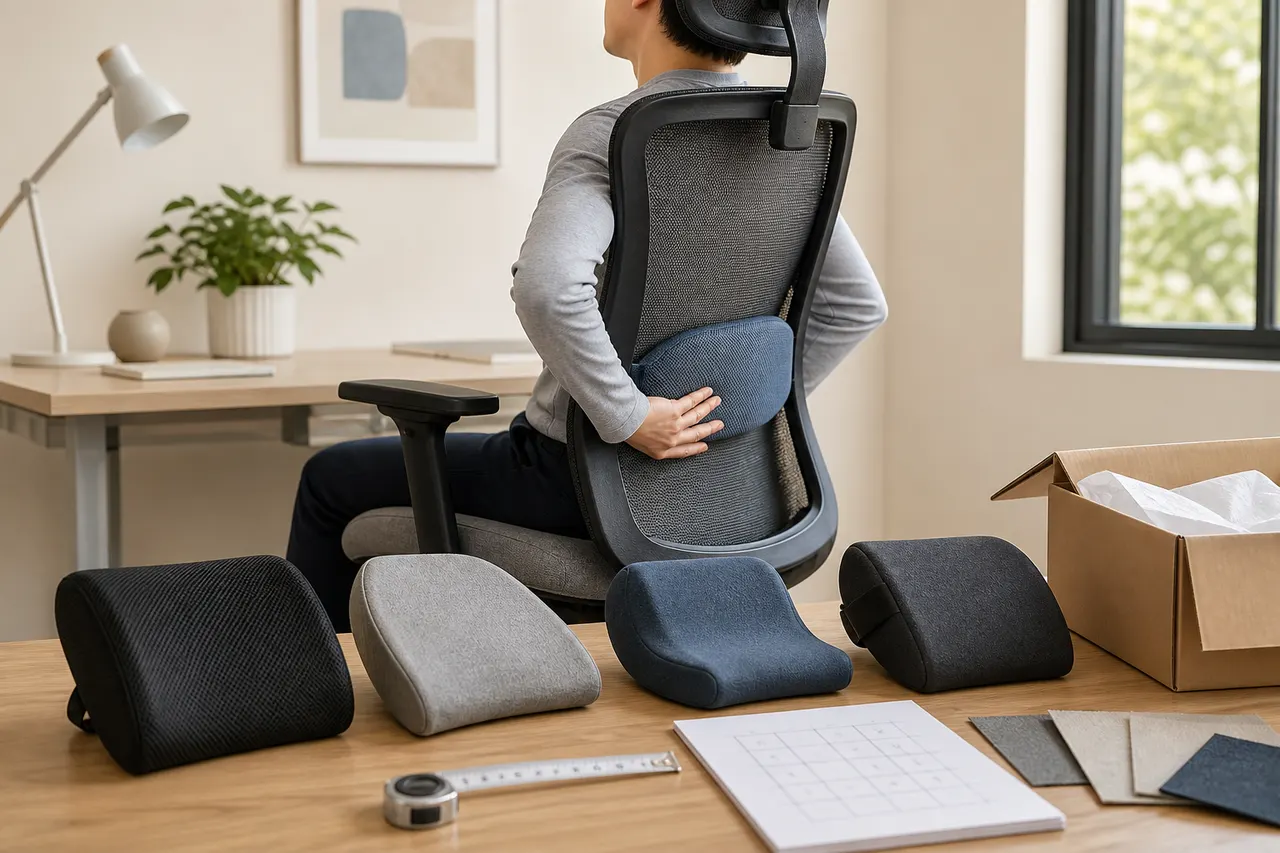
Office chair lumbar supports are not simply better when they are thicker, firmer, or more enveloping. The real problem to solve is: where does your current chair back lack support, and after adding a lumbar support, can you maintain a stable sitting posture without being pushed away from the backrest or raising your shoulders?
This guide is intended for readers who have already found multiple lumbar support candidates in the kako Spreadsheet but cannot judge fit based solely on product names or thumbnails. After reading, you can narrow down candidates by chair back, mounting method, body contact position, and dimensional evidence, and then decide to proceed with verification, order a returnable sample, or hold off for now.
If pain persists, is accompanied by leg numbness, or significantly affects movement, consult a qualified medical professional first. This article is for product screening and sitting posture adaptation, and does not provide diagnosis or treatment advice.
First determine the specific sitting posture problem the lumbar support needs to solve
Sit in your current office chair without immediately adjusting your posture. Note the problems that appear first after twenty to thirty minutes of continuous work:
There is a noticeable gap between your lower back and the chair back, requiring active effort to sit upright
The chair back already has a bulge, but its position is too high or too low
The seat is deep, and it is difficult to keep your feet stably on the floor when leaning against the backrest
Your body keeps sliding forward, and the lumbar support may further push the pelvis forward
Discomfort occurs only during long work sessions, with no obvious issues during short sitting
A lumbar support can only supplement the support between the chair back and your body; it cannot fix an incorrect seat depth, seat height, or desk height. If your feet are dangling, address seat height or add a footrest first; if the backrest already has a strong forward curve, adding a thicker lumbar support will usually reduce usable seat depth.
You can first do a short position test with a folded towel 🪑. The towel is not a substitute for product performance, but it can help determine whether you need slight padding, a wider contact surface, or whether adding extra thickness is not suitable at all. During the test, do not mistake a brief "being pushed against" for long-term support.
Filter by chair back and mounting method in the kako Spreadsheet
When using the kako Spreadsheet, first treat it as an entry point for candidate discovery and evidence organization; do not directly regard the names, images, or categories in the table as complete product promises. Each candidate should be checked against the currently accessible product page; entries that cannot be opened, have insufficient information, or have conflicting specifications should be put on hold.
The first round of screening only looks at chair back compatibility and mounting method:
High-back office chairs: confirm whether the straps can be fixed at the planned height, rather than only sliding to the widest part of the chair back
Mid-back chairs: check whether the upper edge of the lumbar support might crowd the shoulder blade movement space
Mesh-back chairs: avoid judging stability solely from promotional images; focus on the strap load points and anti-slip design on the back
Integrated hard-shell chair backs: confirm whether the straps have a routing path and whether the buckles will press against the chair back or wall
Chair backs that are narrow at the top and wide at the bottom: prioritize structures with clearly adjustable length that can independently fix the upper and lower positions
If the product page does not show how the lumbar support is fixed to a chair back similar to yours, mark "mounting compatibility" as unconfirmed. Do not estimate strap length from model photos, and do not assume that elastic straps of unspecified size are suitable for all chair backs.
Use body contact position to judge height and support range
The lumbar support should fill the position that needs support, not force your body to rearrange around the product shape. When screening, record the expected lower edge, highest point, and upper edge of contact, not just the total height 📏.
After sitting, gradually move the candidate position upward from a lower starting point. A position worth further testing usually exhibits the following:
The pelvis remains stable without continuously sliding forward
The lumbar area receives contact, but the abdomen does not need to deliberately tighten to resist the push
The upper back can still naturally contact the chair back
The shoulders can relax and the arms can naturally reach the keyboard
The front edge of the seat cushion and the back of the knees still retain comfortable space
If the support point is too low, the product may mainly press against the back of the pelvis; if too high, it may push the lower ribs forward. People of different heights may also require completely different mounting heights due to torso proportions, pelvic position, and chair back curvature, so fixed model recommendations based solely on height are not reliable.
If the product page only provides overall dimensions, you can keep the candidate, but mark the "position of the highest point" and "compressed thickness" as evidence gaps. Without this data, precise fit conclusions should not be drawn.
Compare the trade-offs among memory foam, mesh, and inflatable structures
Material names alone cannot prove comfort. What truly affects the experience is the compressed thickness, rebound speed, breathability structure, cover surface, and the curve formed together with the chair back.
Structure | Possible suitable needs | What to verify before ordering | Common risk of poor fit |
|---|---|---|---|
Memory foam | Desire a more continuous, softer contact surface | Density or firmness specification, compressed thickness, whether the cover is removable and washable | Excessive thickness reduces seat depth; temperature changes may affect feel |
Mesh frame | Value air circulation and the chair back allows stable mounting | Frame dimensions, edge position, whether tension is adjustable | Frame edges create localized pressure; may shift left and right on narrow chair backs |
Inflatable | Want small adjustments in thickness or easy storage | Inflation/deflation method, valve position, minimum and maximum thickness | Over-inflation causes concentrated pressure; slow air leakage changes sitting posture |
Words like "memory foam," "breathable mesh," or "ergonomic" cannot replace verifiable dimensions and structural information. If the page lacks material composition, maintenance, or adjustment range, leave those items blank rather than filling them in based on appearance.
Verify straps, anti-slip surface, and dimensional information
The straps determine whether the lumbar support can stay at the tested position over time. When screening, record at least the following:
Number of straps, and whether each strap can be adjusted independently
The adjustable length stated on the page and how it is measured
Positions of buckles, adjusters, and stitching
Whether the back has anti-slip areas and how they contact the chair back material
Product width, height, thickest position, and edge thickness
Whether the cover is removable and cleaning instructions are clear
When measuring your chair back, wrap the tape measure around the chair back at the planned mounting height, not just the front width. If the straps need to pass through frame or armrest structures, record the actual path. Leave reasonable adjustment margin between measurements and product specifications; do not let straps remain in maximum stretch for long periods.
Also standardize units. When inches and centimeters are mixed, convert and keep the original notation to avoid mistaking package dimensions for product dimensions. For curved lumbar supports, the front width is not equal to the effective coverage width after fitting against the chair back.
Before ordering, check product links, specifications, and evidence gaps
The time-sensitive check date in this article is August 27, 2026, but no real-time product prices, inventory, shipping costs, seller promises, or return policies that were not provided have been used. Before formally ordering, re-verify these details on the current day 🧭.
Create a verification record for each kako Spreadsheet candidate, including at least:
Whether the product link is currently accessible
Whether the product name and selected specification match
Whether there are clear options for color, size, structure, and accessories
Whether the dimensional diagrams on the page match the text description
Current price, currency, and stock status
Seller identity and applicable return conditions
Destination country, estimated package size, shipping cost, and possible taxes
Missing evidence such as strap length, compressed thickness, or material composition
Verification date and saved page evidence
If conflicting dimensions appear in different regions, pause the purchase and request clarification. Links that redirect to category pages, tag pages, or pages without a clear product name should not be considered valid product pages.
Do not automatically judge a product as the best fit just because it has the most complete information. Complete information only reduces uncertainty; fit still depends on your chair back measurements and sitting posture tests.
After delivery, complete fit checks based on sitting posture changes
Upon delivery, first check that the received specifications, appearance, straps, and dimensions match the ordering evidence. Before confirming return conditions, do not remove labels that would affect returns, and do not make irreversible modifications.
Fit checks can be done in three stages:
Initial check: Start from a lower support position with minimal thickness or loose tension, and confirm there is no visible damage, abnormal odor, or protruding hard points.
Work test: Use the chair for twenty to thirty minutes under the same desk, seat height, and work tasks, and record whether the pelvis slides forward, the upper back leaves the chair back, and the feet remain stably on the floor.
Extended check: Test multiple times within the return window, changing only one variable at a time, such as mounting height, inflation level, or backrest angle.
Do not adjust lumbar support height, seat height, armrests, and desk simultaneously, or you will not know which change caused the effect. If numbness, tingling, increased pain, or restricted movement occurs, stop using the product and seek professional advice.
When taking fit records, you can keep the mounting position, strap path, and measuring tape, but cover order numbers, addresses, phone numbers, and other personal information 📦.
Organize candidates and determine next steps
The final retained candidates must meet three conditions simultaneously: the chair back can be stably mounted, the support position matches your body contact needs, and key specifications have traceable evidence. Products that only satisfy appearance preferences or material keywords should not enter the final selection.
You can make decisions in the following order:
Has clear dimensions, strap range, and a valid product page: proceed to pre-order verification of price, shipping, taxes, and returns
Structure may fit but lacks key data: ask the seller first, do not guess from images
Lumbar support will significantly reduce seat depth or push the body away from the chair back: remove from candidates
Multiple options differ little: prioritize the one with more complete evidence, a more suitable adjustment range, and clearer return conditions
Cannot confirm chair back compatibility: postpone purchase and first test the needed support position and thickness using reversible methods
This screening method cannot guarantee that a particular lumbar support will be comfortable, but it can reduce ineffective purchases caused by unclear dimensions, unstable mounting, and incorrect support position. The possible savings should be calculated from the actual landed cost, shipping, and non-refundable costs of excluded candidates; since there is no real-time order sample in this article, a fabricated fixed savings figure cannot be given.
The increased risks mainly come from specification changes, missing page information, strap-chair back incompatibility, and product thickness reducing usable seat depth. It is better suited for people willing to measure the chair back, record sitting posture changes, and complete testing within the return window; it is not recommended as a treatment for persistent pain, nor should you buy directly when key dimensions and return conditions are unclear.
Content note: This article was generated by an automated content system based on the provided topic, platform context, and writing materials, and clearly distinguishes verifiable information, items to be verified, and general screening methods. Prices, inventory, link status, shipping costs, taxes, and platform policies still need to be reconfirmed on the day of publication and purchase.
Frequently Asked Questions about Shopping on agent Platforms
1. How do you view QC photos on spreadsheetkako.com?
When checking QC photos on spreadsheetkako.com, direct your attention to the distinct characteristics of the item you bought. For footwear, you need to inspect several important spots, including the toe, heel, and tongue, to evaluate the stitching, overall shape, and tongue thickness to determine if it is a well-made pair. For garments, look at the collar label, logo embroidery, material, and the neatness of the collar and cuffs, among other aspects.
Browse our latest products and find your next favorite item.